Showing posts with label Apple iPhone News. Show all posts

Friday, May 30, 2014

PressReader Brings 1500+ Updated Newspapers to iPad and iPhone

With PressReader 2.2, the dailies won’t ever be old news. You can simply switch on the iPad application and indulge on today’s happenings. PressReader 2.2, upon receiving upgrades from its previous versions, makes reading the news an even easier experience. Navigating through the paper’s various sections is easy, as you scroll through from the front page to the Sports section. In truth, it’s even simpler to read compared to an actual newspaper. You can do away with turning the large pages, while you jump from one section to another.

Press Reader has several new features. Now it has a Library Shelf feature which appears like a newsstand. You have the option of picking from a wide variety of newspapers, giving you a clear picture of what’s happening all over the world. It automatically removes stored newspapers from the iPad’s database, to free up memory space. If you have a knack for storing old news, however, you can simply switch off the feature.


Press Reader 2.2 also features newspaper printing and quick messaging and news sharing on Facebook. Traditional folks who prefer the novelty of reading an actual newspaper can simply print all of the publications that they read regularly. Socially responsible folks, on the other hand, can alert their friends about certain reports via their social networking accounts.

Perhaps the best thing about this iPad application is it’s free. It is also compatible with the iPhone and the iPod Touch, running on at least iOS 3.1.2. You can download it through this via direct iTunes link.

Saturday, May 24, 2014

Transfer Photos Directly From Your Digital Camera to iPad Using Camera Connection Kit

With iPad Camera connection kit, you can import photos and videos from a digital camera or SD card directly to your iPad. The kit also supports most popular photos services including Flickr, MobileMe and others. What’s more, the iPad Camera Connection Kit costs a miserly $29.

The Kit provides two simple ways of importing your photos. One way is use your SD card connector to upload photos via a SD card. The other option is to use the USB connector so that you can connect your camera directly to the iPad. The usage is intuititve – as soon as you plug the connector to your iPad, it opens the photo app and shows the photos on your card. It may take a while for all your photos to show up, so be patient. You can then either choose some photos or all photos to be imported. Further, TidBITS reports that you can use a headset to make VoIP calls over Skype, and that the audio quality is excellent. You can also use a Bluetooth headset with the iPad. See this Demo video.

Thursday, May 22, 2014

Saurik & iPhone 4 Jailbreak

Here is a quick interview with Jay Freeman better known as Saurik talking about the upcoming iphone 4 jailbreak. Saurik is the creator of cydia and is part of the dev team in a way.


Monday, May 19, 2014

PS3 Hacked For Real


A fellow user mentioned how funny it is that GeoHot left the iphone scene but then a ps3 jailbreak comes out, how ironic. This ps3 modchip is a usb thumb drive loaded with the hacking software. All you have to do is plug it in and follow the instructions and your hacked. You can purchase one for about 165.00 over at http://www.ozmodchips.com/ps-jailbreak.


Sunday, May 18, 2014

Watch Your Favorite Movies In One Apps (For iPhone & iPad)

Warner Bros is now experimenting by selling movies as standalone iOS apps, starting with Inception and The Dark Night. While the apps themselves are free to download, the actual movies available as in-app purchases.

Warner Bros. has played it smart by including bonus features, such as games, soundtracks, and integration with Twitter and Facebook to promote hit dialogues. The free versions are teasers which lure users to buy in full movie via an “in-app” purchase button. While “The Dark Knight” costs $9.99, Inception is priced higher at $11.99. Both the paid offerings include innovations such as the ability to watch the film in as many as 34 languages and the ability to clip sounds and customize ringtones. IMO, 10 bucks for a few ringtones and wallpapers surely sounds like an overkill.

Once you’ve paid for a movie, you can choose to either stream the movie to your iPad or download it to your iPad for later viewing. Both the apps are available in over 30 countries and provide an alternative to users in countries that do not have access to films for purchase via the iTunes Store. Warner Bros is already working on app editions for other movies to be launched throughout the year. Unfortunately, Apple’s DRM restrictions imply that users can’t transfer these movies to their Mac or DVD players, despite making a hefty in-app purchase.

Have a look a video of the Warner Bros ‘The Dark Knight’ app in action.


Thursday, April 28, 2011

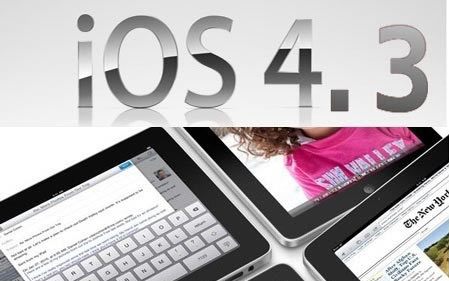
Don't Update To iOS 4.3 (IPhone Jailbreaker)


During the iPad 2 event, Apple mentioned the iOS 4.3 will be available to all users on March 11. Our recommendation is to stay on iOS 4.2.1 a month after 4.3 is released as all its going to be is a headache.

BigBoss also pointed out the upcoming iOS update will come with an implementation of address space layout randomization (ASLR). Such implementation change will impact the way mobile substrate works. If you haven’t heard of mobile substrate, it is a code library that other tweaks depend on. So if mobile substrate doesn’t work with iOS 4.3, your favorite hacks like WinterBoard, BiteSMS, etc will not work either.

With 4.3 comes apple’s implementation of address space layout randomization (ASLR). In short, this will mess up the way mobile substrate works. You will need a new mobile substrate in order to use your favorite tweaks such as winterboard, sbsettings, bitesms, folder enhancer, etc. So you should definitely avoid 4.3 until an “official” jailbreak is released for it. Of course we will announce when that is right here.


Therefore, avoid upgrading to iOS 4.3 until a stable jailbreak solution is released.

Wednesday, March 2, 2011

Apple Announced Same Price Of iPad 2

As a rumors, Apple is revealing the iPad 2. The iPad 2 price is just the same as previous generation iPad which places it with a competitive edge over other tablets in the market. More specs of the thinner, faster processor.

What we are most amazed by is how Apple managed to decrease the iPad’s thickness, pack a twice as powerful A5 processor and still managed to give us 10 hours of battery life on this. With the addition of the FaceTime cameras this is going to make twice as much sales as the first generation iPad.


What's New:
  • Dual Core A5 processor – upto two times faster than previous model
  • Thinner by 33% – 8.8mm as compared to 13.4mm
  • Enhanced graphics – new GPU nine times faster
  • Two cameras – front and rear
  • Built in Gyroscope like iPhone and iPod Touch for motion detectiion/gaming
  • Battery life same as 10 hours – in spite of new processor and decreased thickness
  • FaceTime ability to make video calls to iPhone 4, iPod Touch 4G and Macs


Moreover, the decreased thickness makes the iPhone 4 an inferiority complex. The iPhone 4 is 9.3mm thick as compared to iPad’s 8.8mm. This is almost as hot as the iPod Touch now. Plus, we must also mention that the iPad 2 is being launched in white color model as well.

The Price

The prices are exactly the same as previous generation iPads. The iPad, as reiterated by Apple, is offered at an unbelievable price as compared to its rivals in the market. The Motorola Xoom, for example is priced at $800(comparable to 32GB 3G model).

Both the iPad 2 and iOS 4.3 will be released on March 11th in the USA and 26 more countries on March 25th.


[Image Via Engadget]

Sunday, February 27, 2011

Facetime 1.0 Released in Mac App Store, Brings HD Features

FaceTime for Mac is now out of beta and FaceTime 1.0 has been released on the Mac App Store. It will ship with the new Macbook pros and owners of previous generation Macs can purchase it for $0.99. iPhone and iPod Touch users are already familiar with the ease of use when making FaceTime calls. We have been playing with the beta FaceTime for Mac and found it the easiest way to communicate.

FaceTime has already paved its way to iPhone 4, iPod Touch 4G and Macs. If you are into software tweaks you can even install it on your older iPad 1st gen and iPhone 3GS. In all probability we will see it on iPad 2 which is rumored to have two cameras just like the other iOS devices released in 2010. So far no word on a FaceTime app for Windows.

Facetime Features:

Simple to Get Started
• Setup is quick and easy – just enter your Apple ID.
• With just one click, you can make a video call to an iPhone 4, an iPod touch, or another Mac.

Easy-to-Organize Contacts
• Make calls using your existing Address Book contacts – you don’t have to enter your contacts from scratch.
• Add the people you call most often to your Favorites list.
• Quickly review your past calls with Recents.

High-Definition Video
• Receive HD video calls at up to 720p on supported, Intel-based Macs.*
• A Mac with a standard-definition camera delivers up to VGA-quality video for Mac-to-Mac calls.

Elegant Interface
• Window and playback controls fade away so the focus stays on your conversation.
• View transitions smoothly when an iPhone 4 or iPod touch user switches from front to rear cameras or from portrait to landscape views.
• FaceTime’s widescreen aspect ratio makes it easy for families and groups to participate in a call.
• Enjoy your video call full screen, using every inch of your beautiful Mac display.

Ring Anywhere, Any Time
• Incoming calls ring on your Mac, even if FaceTime isn’t running.
• If you have more than one Mac, incoming calls ring on every one so you can answer on the Mac that’s most convenient.

You can purchase FaceTime for Mac for $.99 from the Mac App Store by hitting link here.

Thursday, February 17, 2011

iControlPad Now Available For Purchase


Its finally available for order, the long awaited iControlPad should be coming to us real soon. The only downside is its a bit expensive and bulky in our opinion.


The iControlPad uses Bluetooth to communicate with your mobile phone, so it can basically be used with any modern Smartphone – or even your PC! It offers various different Bluetooth protocols, including standard HID. This is to ensure that you can use the iControlPad with current and future Smartphone generations.

The iControlPad has exchangeable clamps to make it possible to use any Smartphone out there. Just grab the clamps that are designed to fit with your Smartphone and you’re ready to play. And if you ever buy a new phone: No need to throw your iControlPad away, just get a new set of clamps and that’s it!

Current side clamps support:
iPhone 3, iPhone 3G, iPhone, iPhone 3GS, iPhone4, iPod touch (some require padding), Motorola Backflip (needs padding), Lg Optimus S, Lg Ally, Blackberry Touch, Samsung Intercept (may require adjustment), HTC Dream, T-Mobile G1, Era G1.

Features:
● Supporting any phone/console/computer with Bluetooth.
● Digital Dpad, 2 Analogue nubs, 6 face buttons and 2 rear buttons.
● Clever side clamp system allowing it to attach to almost any phone
● Multiple BT protocols supported
● Should ‘just work’ on any Android app which supports a PC gamepad.
● Internal 1500maH battery can also charge your phone via USB when playing.
● Upgradeable firmware, new features can be added, restrictions can be bypassed.
● Delivery starts in February.

The first units will be shipped around the 16th of February, the units are arriving in batches of 1000 until the full 3000 have been produced. The PCBs are made and populated in Germany, the case, the final assembly and testing in England.

iControlpad with V1 sides, Battery, USB Charger, and Manual costs $74.99.

[Via iClarified]


Monday, August 30, 2010

iPhone 4 vs iPhone 3GS

For some readers who are currently using the iPhone 3GS, they are still considering the upgrade. One, who is quite new to iPhone, said, what are the difference between iPhone 4 and 3GS? Needless to say, the iPhone 4 is a major upgrade over iPhone 3GS. Apple has published a comparison between these two phones at it website. But below comparison from Mahalo gives a better presentation.


Saturday, August 28, 2010

OpenAppMkt: New App Store for iPhone (No Jailbreak Required)

Developed by Teck Chia, Flora Sun and Tim Wuu, OpenAppMkt is a piece of smart thinking and quick implementation. And the best part - though Apple will hate it, it has no control over it. Similar to App Store & Cydia, OpenAppMkt offers both free and paid apps, albeit – only those which run within the Safari browser.

The Installation f OpenAppMkt is easy and quick – just visit the OpenAppMkt website and follow the onscreen instructions. It creates an OpenAppMkt icon on your iPhone’s home screen. Bear in mind, that when you download an app through OpenAppMkt, it actually doesn’t install anything on your phone, it merely creates a Safari bookmark on your homescreen.


As a developer, you can get your app listed on OpenAppMkt for free. However, developers who sell paid web apps will need to share 20 percent of their revenues with the founders. Chia insists that many iOS apps on the iTunes App Store are actually built with HTML5, JavaScript, and CSS and then compiled into an app before being sent to the iTunes Store for sale or download.

Here’s a video of the OpenAppMkt app in action.

Friday, July 2, 2010

Upload 720p Movies From iPhone 4 Using PixelPipe


If you were disappointed that you can’t upload full 720p video from your iPhone 4 to YouTube without transferring it to a computer first, then check out the latest update to the free app Pixelpipe.

While there has been some speculation over whether app developers would be able to access the full-resolution videos for sharing, commenters were quick to assure us there was no reason to worry. Pixelpipe claims that it will share your edited mobile masterpiece in all its splendor not only with YouTube but also to Flickr, Facebook, MobileMe, Viddler, Posterous and a bunch of other video-capable sites (as well email and FTP) for videos up to 200MB.

The update to 2.01 is also quick to add iOS 4.0 multitasking for background uploading and should continue to serve as a semi-ubiquitous multi-tool for getting our videos (and pictures) uploaded almost anywhere you want them to go. We mentioned Pixelpipe previously around the time of the 3GS launch last year; it seems to have come a long way since then.

It is worth noting that some users seem to be experiencing some instability with the app that will hopefully get ironed out quickly. If you are having trouble with it, keep your eyes peeled for other developers to follow up with alternatives now that we know 720p uploading is possible.

Update: Reader Aaron notes that SmugShot is also 720p-upload enabled.

[tuaw]

The First iAd


iAds have arrived. This advertisement for the Nissan Leaf is the first to make an appearance.

The initial launch of iAd rich media ads, featuring advertising from some of the world’s leading brands, will begin July 1. At launch, we’ll roll out in North America and ramp up the number of ads served in the weeks and months ahead. For developers outside of North America, iAd will be rolled out in a few months.

[ Via iclarified]


Friday, June 25, 2010

iOS 4 is Available For Download


The iOS 4 is now available for download via iTunes and the file weighs in at 378MB. To download iOS4, you have to first upgrade your iTunes to version 9.2.

For Unlocked And Jailbroken iPhone

For those using unlocked or jailbroken iPhone, please DO NOT upgrade to iOS4 for now. You need to stay from it for a while until iPhone Dev team releases both the jailbreak and unlock solution. Though there is no mention about the release date, I expect the tools will be available in these two weeks.

Sunday, June 13, 2010

Netflix Hacked On iPhone


I needed the mediaplayer frameworks from an iPad [/System/Library/Frameworks/MediaPlayer.framework], thanks to one of your forum members, I was able to get that. Then, it still wouldn’t work. Noticing my winterboard theme was overriding the mediaplayer layout I disabled it, retried the app and viola, it worked! All that had to be changed was a couple lines in the applications info.plist file and the mediaplayer frameworks, along with a manual install/permissions. (My other apps requiring mediaplayer still run fine.)

But, having said that, I see why Netflix hasn’t released an iPhone client yet. Reasons why:
● Huge battery drain – 25% of battery for around 15min of streaming, drains pretty quick while browsing the app as well.
● Crashing – I suspect memory is the issue here, and also probably because it’s made for another device. Happened when browsing too fast through the app(lots of clicks).
● 3G Speed – Takes forever to load the app and to start streaming (does work though)

[Via iclarified.com]

The New iPhone 4!


The iPhone 4 comes with a new design of glass and stainless steel. It is extra thin with merely 9.3 millimeters, that is 24% thinner than iPhone 3GS. The front and back are made of aluminosilcate glass with oil-resistant coating. According to Apple the glass is chemically strengthened to be 30 times harder than plastic, more scratch resistant and more durable than ever.

The new iPhone is now encircled by stainless steel band made of a custom alloy. The band even functions as part of the antenna system. The physical size of iPhone 4 is 4.5 x 2.31 inches, and 0.37 inches thick. It weighs 4.8 ounces (or 137 grams).

The iPhone 4 is now powered by the A4 processor, the chip that is completely designed by Apple’s hardware team and used on iPad. The A4 processor is said to consume less power that results in a better battery life.

Just like the iPad 3G, the new iPhone now utilizes micro-SIM, which is smaller in size than a regular SIM card. It also includes a microphone built into its top edge and uses sophisticated audio technology to suppress unwanted background noise. With the dual mic noise suppression, you can expect a better call quality.

Finally, it also comes with a front-facing camera to support video calling and makes it easy to take self portraits. The back camera is also upgraded with 5-megapixels. And, it is even built-in with LED Flash!

The 3.5-inch display is now known as Retina Display with 960 x 640 resolution with an 800-to-1 contrast ratio. It is four times as many pixels as the iPhone 3GS and 78 percent of the pixels on an iPad. The screen now has 326 pixel per inch resolution. That means it makes text, images and video look sharper, smoother and more realistic. Similar to the iPad, it uses IPS technology.

Video Calling

One of the most notable features is the support of video calling. iPhone 4 comes with a new feature called FaceTime that lets you make video call over WIFI (just WiFi for now).


FaceTime works in both portrait and landscape mode. While you are in the video call, you can switch between the front and back camera. The front camera is designed to capture your face and you can switch to the back camera when you want to share what you see with your friend. FaceTime is a feature particular for iPhone 4. You can’t make video call to other 3G phones using this feature.

HD Video Recording

With the improved camera and LED flash, you can shoot video in stunning resolution in both bright and dark environment. As before, you can use the Camera app to perform basic video editing. If you are an advanced user, Apple also announced a new app called iMovie that lets combine and edit video clips, polish your movies with dynamic themes and transitions. You can even add background music to your video. All these can be done right on the iPhone 4.

Battery Life

The battery is 16% bigger than the current one. And, it’s the biggest component in iPhone 4. As a result, it brings a longer battery life and here are the figures from Apple:

  • Talk time: 7 hours over 3G or 14 hours over 2G
  • Internet over 3G: 6 hours
  • Internet over WIFI:
  • 10 hours
  • Video playback: 10 hours
  • Music playback: 40 hours
  • Stand-by: 300 hours
The iPhone 4 will be available in both black and white on June 24. The 16GB version costs US$199, while the 32GB version costs US$299. iPhone 4 will be available in the US, France, Germany, Japan and the UK on June 24 and customers can pre-order their iPhone 4 beginning Tuesday, June 15 from the Apple Online Store or reserve an iPhone 4 to pick up at an Apple Retail Store. To learn more about the iPhone 4, remember to check out the promotion video:

[Images via Apple]


Thursday, June 3, 2010

Free Version of MobileMe?

Notice in the screenshot below that the account type of this user is listed as “Full Member”. Perhaps Apple will announce that a Free Membership is coming in the near future?

[Via iclarified.com]

Back Cover of iPhone 4G


The digitizer resembles the 3G and 3Gs with the exception of a camera hole next to the top speaker. The back case doesn’t resemble anything we’ve seen so far. The photos do confirm these will likely be available in white. One other note is that the model # of the device in these pictures is XXXXX. Usually that indicates a prototype model. Usually you don’t see prototype pictures so close to a model release, which makes us wonder if the iPhone 4G really will be released at WWDC.

[Via iclarified.com]